
November 15, 2026
Free QR Code Generator: Create Codes in Seconds
Free QR Code Generator: Create Codes in Seconds
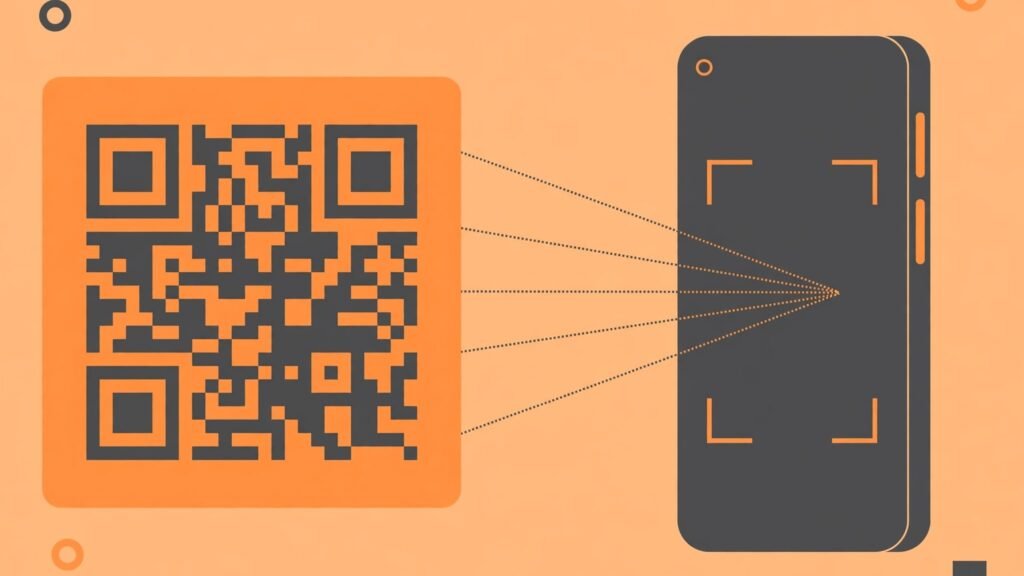
If you need a QR code for your menu, your shop window or your business card, a free QR code generator is the fastest way to get one. You paste a link, the tool turns it into a scannable square, and you download it — no design software, no coding and no payment. The search term itself is popular: in the United States, “free QR code generator” gets between 113,000 and 140,000 searches a month, according to Ahrefs data shared by Dupple and keyword data from kwstrends. That demand exists because the job is simple and the tool should be too. This guide explains what a free generator does, how to use one, what to check before you print, and when a paid option is worth considering.
What Is a Free QR Code Generator?
A free QR code generator is a website tool that turns a link, a piece of text, a phone number or a Wi-Fi password into a QR code image you can download and print. You do not install anything: you open the page, type or paste what the code should contain, and the tool draws the pattern for you. Most free generators make static codes, where the destination is stored inside the pattern itself, so the code keeps working as long as the page exists. Some also let you change the colour, add a logo in the middle or download a high-resolution file. The best free tools ask for nothing in return — no account, no email address and no watermark on your code — because a code with a watermark looks unprofessional on a printed menu or a shop sign.
How to Use a Free QR Code Generator
Using one takes about a minute. First, decide what the code should open — your homepage, a booking page, a menu, a Google review page or a WhatsApp chat — and copy that link. Then open our free QR code generator, paste the link into the box and let the tool build your code. Download it as a PNG for everyday printing, or as an SVG if it will go on a large sign, because a vector file stays sharp at any size. Before you print a hundred copies, scan the code with your own phone and check the right page opens. That one test catches typos and wrong links before your customers do. If you also want a refresher on making codes from scratch, read our step-by-step guide on how to make a QR code.
What to Look For in a Free QR Code Generator
Not every free tool is equal, so check four things before you trust one with your marketing. First, no sign-up: a tool that demands an email address before it shows your code is collecting leads, not helping you. Second, no watermark: your code should be clean, with no advertising stamped across it. Third, a high-resolution download: a small, blurry image will print badly on a poster, so look for a PNG at a good size or an SVG option. Fourth, honest limits: some free tools cap the number of codes or add an expiry date to dynamic codes, so read the fine print if you plan to use codes across many products. A tool that is free, fast and honest about its limits is all a small business needs.
Free vs Paid QR Code Generators
For most small businesses, free is enough. A free static code covers a homepage link, a menu, a review page or a business card, and it never expires. Paid plans become useful when you need dynamic codes that you can edit after printing, scan counts that show how many people used each code, or codes in bulk for hundreds of products. Those features typically cost a monthly subscription on specialist generator sites — prices vary widely, so check the tool you are considering rather than assuming a fixed price. A sensible rule is to start free: use static codes for anything permanent, and only pay when you have a real need to change links or measure scans. Many businesses never need to pay at all. If you do pay later, keep your old static codes in place — they still work, and there is no need to reprint anything that already does its job.
Where to Use Your QR Codes
Once you have your code, put it where customers already look. On a restaurant table, it opens the menu; on a receipt, it asks for a review; on a shop window, it shows opening hours or a special offer; on product packaging, it links to instructions or a reorder page; on a business card, it opens your website or saves your contact details. Add a short line next to the code telling people what they get — “Scan to see the menu” works far better than a bare square. And keep the code big enough to scan from a normal standing distance, with a plain border around it. Test the code at the size you plan to print before you order a full run, because a code that scans on screen can still fail when it is printed small or on glossy paper. For ideas on what page the code should open, our guide to digital marketing strategies for small business can help you choose.
Frequently Asked Questions
Is a free QR code generator really free?
Yes — a genuinely free generator lets you create and download static QR codes without paying or signing up. Some tools charge for extras such as dynamic codes, scan tracking or bulk creation, but a basic code for your website or menu should cost nothing.
Do free QR codes expire?
A static QR code made by a free generator does not expire. The link is stored in the pattern, so it works for as long as the page it points to stays online. Dynamic codes from some tools can expire when a trial or subscription ends, so check before you print.
Can I add my logo to a QR code?
Many free generators let you place a small logo in the centre of the code or change its colours. Keep the logo small and the contrast high, and always test-scan the finished code — a logo that covers too much of the pattern can stop the code from working.
What is the difference between a static and a dynamic QR code?
A static code stores the link inside the pattern, so it cannot be changed after it is printed. A dynamic code stores a short redirect link, so you can change the destination and count scans — but dynamic codes usually need a paid plan.
Ready to try it? Open our free QR code generator now, paste your link and download your code in seconds — free, with no sign-up and no watermark. Print one test copy, scan it with your phone, and put it where your customers will see it. If you would like help with the page it links to, take a look at the services Saharan1 offers.