
November 15, 2026
Best YouTube Thumbnail Size: The Complete 2026 Guide
Best YouTube Thumbnail Size: The Complete 2026 Guide
Your thumbnail decides whether anyone watches your video. A thumbnail is the cover of your video, and like a book cover, it must earn its click. A viewer sees it for a second in a crowded feed, and in that second they choose your video or the next one. Knowing the best YouTube thumbnail size is the first step, because a thumbnail made at the wrong size looks blurry, gets cropped, or gets rejected when you upload it. This guide gives you the exact sizes, the file rules, and the design tips that turn a correct thumbnail into a clicked one.
Why the Best YouTube Thumbnail Size Is 1280×720
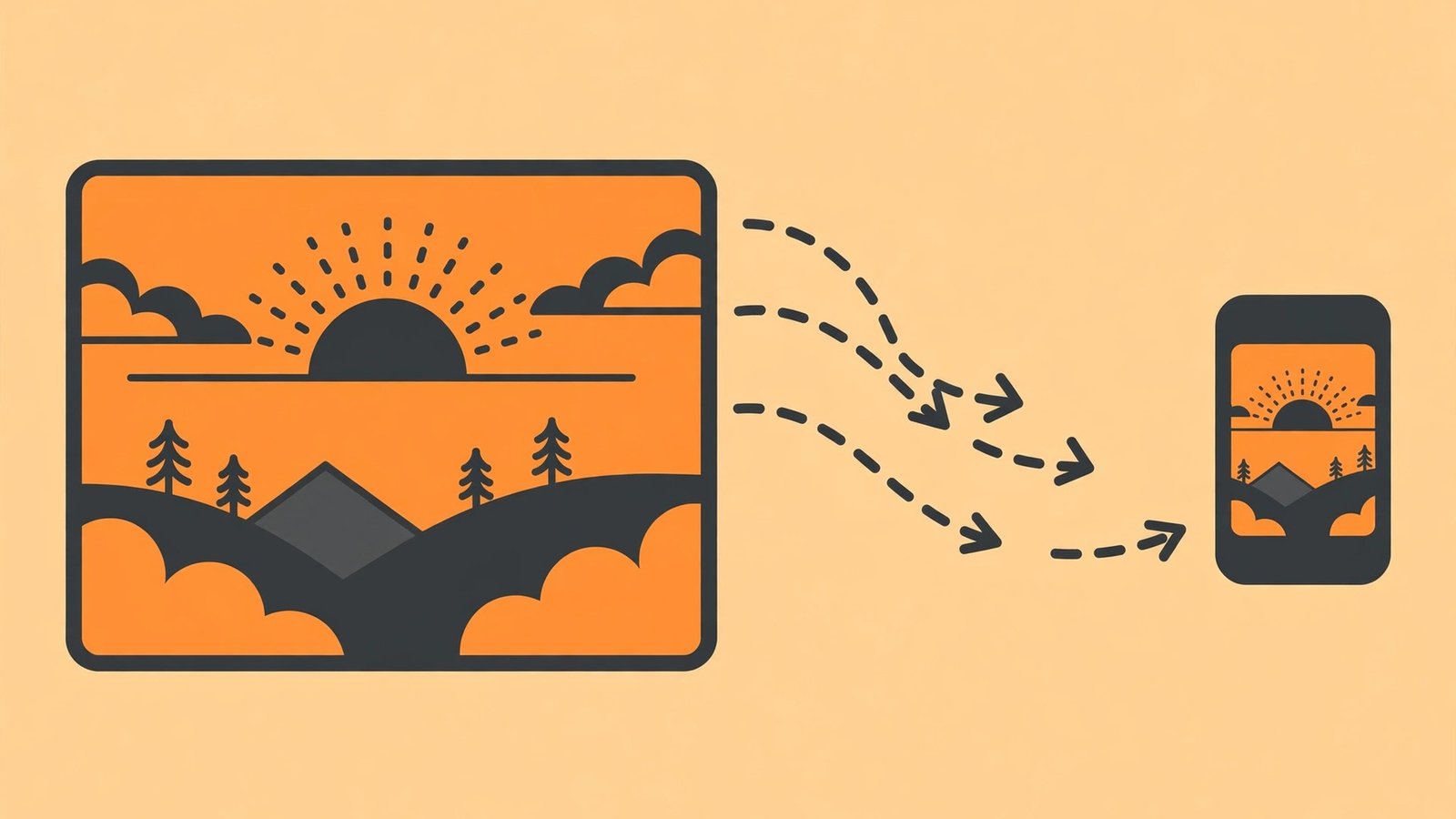
YouTube’s recommended thumbnail size is 1280 pixels wide by 720 pixels tall, with a 16:9 aspect ratio. That is the size YouTube itself publishes in its help pages, and it is the size every 2026 guide agrees on. The minimum width is 640 pixels: anything narrower looks blurry when YouTube scales it up for large screens.
The 16:9 ratio matters because YouTube shows thumbnails in 16:9 on every device — computers, phones, and TVs. If you upload a square or vertical image as a regular video thumbnail, YouTube crops it to fit, and the crop usually cuts off the exact part you wanted people to see. Design at 1280×720 from the start, and nothing gets cropped.
The file rules are simple too. Keep the file under 2MB, or YouTube will reject it. Use JPG, PNG, or GIF format: JPG is best for photos, PNG is best for sharp text and graphics. YouTube also accepts larger images such as 1920×1080, and it scales them down automatically, but 1280×720 is the size that works everywhere with the smallest file. Our guide to YouTube marketing for small business explains how thumbnails fit into a full channel plan.
Best YouTube Thumbnail Size for Shorts, Podcasts and Live Videos
Regular videos are not the only format, and each one has its own thumbnail rule. For YouTube Shorts, the video itself is vertical, 1080×1920, and the thumbnail follows the same vertical shape. Shorts thumbnails can now be customised by creators in the Partner Program, so a clear vertical image with one short line of text helps your Short stand out in the feed.
For podcast playlists, YouTube wants a square thumbnail: 1280×1280 pixels, a 1:1 ratio. A square image is also what podcast apps show, so one square design covers both. For live streams, use the same 1280×720 size as a regular video, and set it before you go live so viewers see a proper preview instead of a random frame.
The file size limit changes for podcasts: podcast thumbnails can be up to 10MB on mobile, while regular video thumbnails stay under 2MB. When in doubt, keep every thumbnail under 2MB and in JPG or PNG format, and it will work everywhere. Save your designs at the right size from the start, because resizing a small image larger only makes it blurry.
Designing Thumbnails That Get Clicked
The right size gets your thumbnail accepted. Good design gets it clicked. Start with one clear subject: a face, a product, or one object that fills most of the frame. Faces work best, because people look at faces first, and a clear expression tells the viewer what the video feels like before they read a word.
Next, add three to six words in a thick, bold font with high contrast and an outline. Your text must be readable when the thumbnail is tiny — about 120 pixels wide in a mobile feed. If you cannot read it when you shrink the image to postage-stamp size, make the text bigger or use fewer words. Never put important text near the edges, because YouTube covers the corners with the video length and other badges.
Finally, use colour with intent. Two or three strong colours beat a rainbow, and a bright background makes your thumbnail stand out against YouTube’s white and dark grey pages. Keep the same style across your videos — the same fonts, the same layout, the same colours — so subscribers recognise your videos at a glance. A consistent style builds a channel brand faster than any single clever thumbnail.
Test your thumbnail against your competitors before you publish. Open a search for your video topic and look at the thumbnails on the first page. If every thumbnail is dark and serious, a bright one stands out. If every thumbnail shouts with red arrows and shocked faces, a calm, clean design stands out instead. Standing out from the videos next to yours matters more than following any single design rule.
Thumbnail Mistakes That Cost You Clicks
The most common mistake is letting YouTube pick a random frame from your video. Random frames are usually blurry mid-speech shots, and videos with custom thumbnails get far more clicks — one widely quoted guide reports 30% more views for videos with custom thumbnails. Always upload a designed thumbnail for every video.
The second mistake is stuffing the thumbnail with text. A thumbnail is not a title: if it repeats your whole video title in small letters, nobody can read either. Put the hook in the thumbnail and the detail in the title. The third mistake is clickbait that lies. A thumbnail that promises something the video does not deliver earns one click and many angry viewers, and YouTube notices when viewers leave fast.
The fourth mistake is ignoring mobile. Most YouTube views happen on phones, where thumbnails are small and titles get cut off after 40 to 50 characters. Design your thumbnail at full size, then check it at 120 pixels wide on your phone before you publish. If it still reads clearly, it is ready.
Frequently Asked Questions
What is the best YouTube thumbnail size in 2026?
1280×720 pixels, with a 16:9 aspect ratio and a minimum width of 640 pixels. Keep the file under 2MB in JPG, PNG, or GIF format.
Can I use a 1920×1080 thumbnail on YouTube?
Yes. YouTube accepts larger images and scales them down automatically. It works fine, but 1280×720 is enough for every screen and keeps the file small.
What size should a YouTube Shorts thumbnail be?
Vertical, 1080×1920 pixels, the same 9:16 shape as the Short itself. Custom Shorts thumbnails are available to creators in the Partner Program.
Why does YouTube reject my thumbnail?
The most common reasons are a file larger than 2MB, an unsupported format, or a width under 640 pixels. Check the size and format, then try again.
The best YouTube thumbnail size is 1280×720, 16:9, under 2MB — learn it once and use it for every video. Then design for the small screen: one clear subject, three to six bold words, and colours that stand out in a feed. Check your thumbnail at 120 pixels wide before you publish, and never let YouTube pick a random frame. If you want help making your whole channel look professional, take a look at the services Saharan1 offers or get in touch through our contact section.